Knowledge Base
The Knowledge Base allows you to store and retrieve documentation about DataSUS, epidemiology, and related topics.
Overview
The knowledge base uses Libby for:
- Document embedding (vector storage)
- Semantic search
- Retrieval-augmented generation (RAG)
Knowledge Base Tab
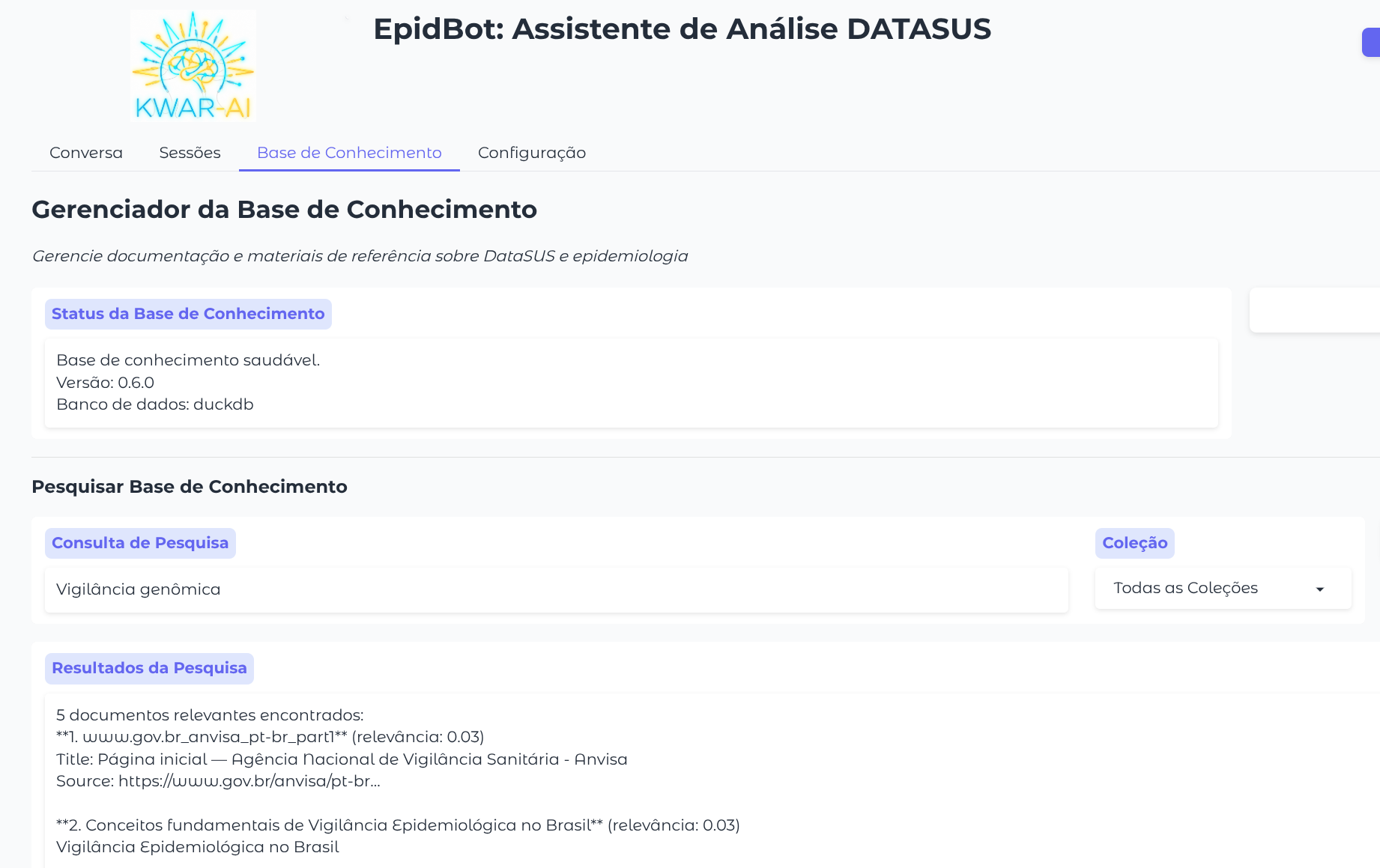
Status Check
Click Check Status to verify the Libby server is running.
Search
- Enter a search query
- Select a collection (or "All Collections")
- Click Search
Results show relevant document excerpts with relevance scores.
Add Sources (Administrator Only)
Adding content to the knowledge base is restricted to administrators. Regular users have read-only access: searching the knowledge base and browsing collections and sources is available to everyone.
Administrators can add content in three ways:
Web Pages
- Enter the URL
- Select a collection
- Click Add Web Page
The system will:
- Fetch the webpage
- Extract text content
- Split into chunks if needed
- Embed and store
Text Content
- Paste text content
- Provide a document name
- Select a collection
- Click Add Text
Upload Documents
- Select a document file (PDF, TXT, Markdown, DOC or DOCX)
- Choose a collection
- Click Upload & Embed
Manage Sources
- List Sources: View all embedded documents
- List Collections: View collections with document counts
Wiki & Knowledge Graph
The Knowledge Base page also hosts the Wiki tab: an agent-maintained knowledge wiki per collection, with an interactive knowledge graph.
- Graph view — explore nodes (concepts, datasets, documents) and their relationships; free on all plans
- Ask the graph —
explain,pathandneighborsqueries over the graph - Consolidation — the agent periodically distills chat-derived knowledge into wiki pages (admin-managed: rebuild, lint, ingest)
Admins manage wiki consolidation and graph rebuilds under Admin → Wiki Management.
Collections
| Collection | Purpose |
|---|---|
datasus |
Official DATASUS documentation |
epidemiology |
Epidemiological methods and concepts |
methodology |
Research methodology |
Agent Integration
The agent can:
- Search: Query the knowledge base for relevant information
- Add sources: Automatically add valuable web resources
- List sources: See what documentation is available
Example Queries
Duplicate Detection
The system automatically checks for duplicates:
- URLs are checked by domain + path
- Text documents are checked by name
- Chunked documents (e.g.,
doc_part1) are recognized
Chunking
Large documents are automatically split:
- Maximum chunk size: 1024 characters
- Overlap: 100 characters
- Paragraph boundaries are preserved
API Reference
LibbyClient
from epidbot.knowledgebase import LibbyClient

client = LibbyClient()

# Add text
client.add_text(
    text="Content to embed",
    doc_name="my_document",
    collection_name="datasus"
)

# Add webpage
client.add_webpage(
    url="https://example.com",
    collection_name="datasus"
)

# Search
results = client.search(
    query="SINAN notification fields",
    collection_name="datasus",
    num_docs=5
)

# List documents
docs = client.list_documents(collection_name="datasus")

# Check existence
exists = client.document_exists("my_document", "datasus")
Best Practices
- Use appropriate collections: Organize documents by topic
- Add metadata-rich sources: Official documentation works best
- Check before adding: Avoid duplicate content
- Verify embeddings: Use search to confirm content is accessible
- Regular maintenance: Periodically review and clean up sources